Jobs & Work Orders
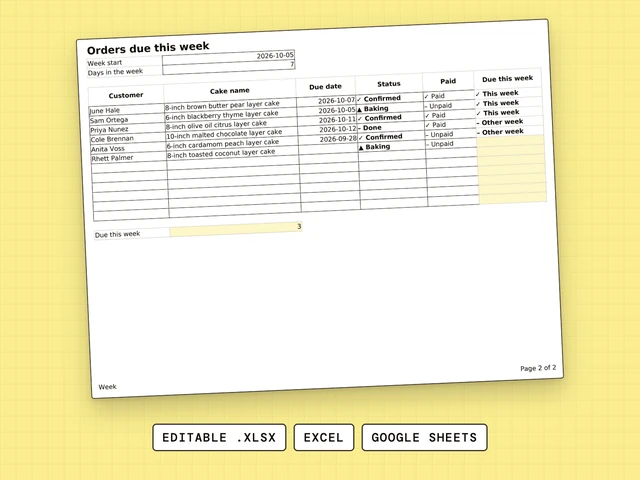
Orders Due This Week
Type the week start. Every cake due in that week is flagged and counted.
$4.99
Use the Cake Order Form to write each order down the moment you take it: the date needed, the size, the flavor, the writing on the cake, the servings and the allergens.
Need more than one sheet? All twelve are $77.00. One by one they add up to $83.91.
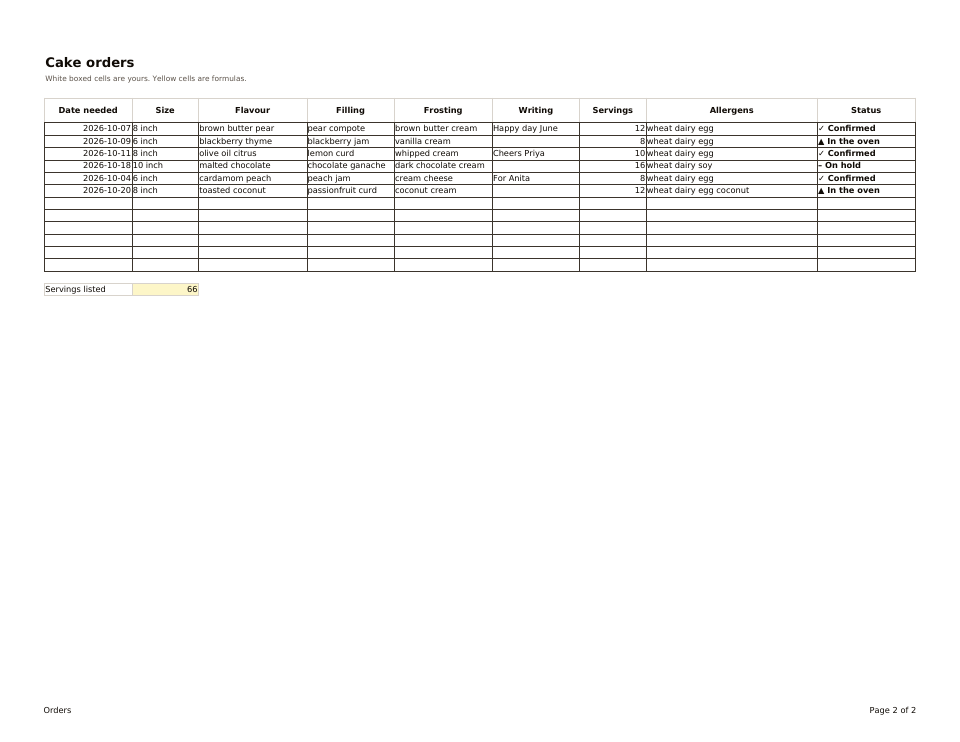
One page of two, whole. The file has more.
You type hereLocked formula
Cake Order Form gives every cake order one row. You type the date needed, size, flavor, filling, frosting, the writing on the cake, servings and allergens, then pick a status from the drop-down. The sheet adds up the servings listed, so you see how many servings you have promised.
Type the date needed, size, flavor, filling, frosting, the writing on the cake, servings and allergens.
Choose from the drop-down, for example Confirmed, In the oven or On hold. Each choice is a symbol and a word.
Servings listed adds every servings cell. Change a number and it updates.
Six sample orders for October with a status on each, and 66 servings listed in total.
Your customer does not fill this in. You do, on the phone or in a message, so nothing about the cake lives only in your head or in a chat thread.
Excel opens the .xlsx file as it is. For Google Sheets, upload the file to Google Drive and open it with Google Sheets. There is a How to use tab in the file.
Each file stands alone. These three are the ones bakers open side by side.
Type the week start. Every cake due in that week is flagged and counted.
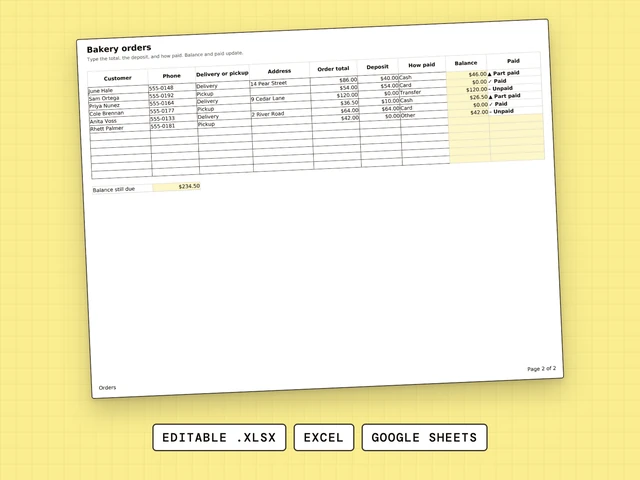
Customer, delivery or pickup, total, deposit and the balance still due.
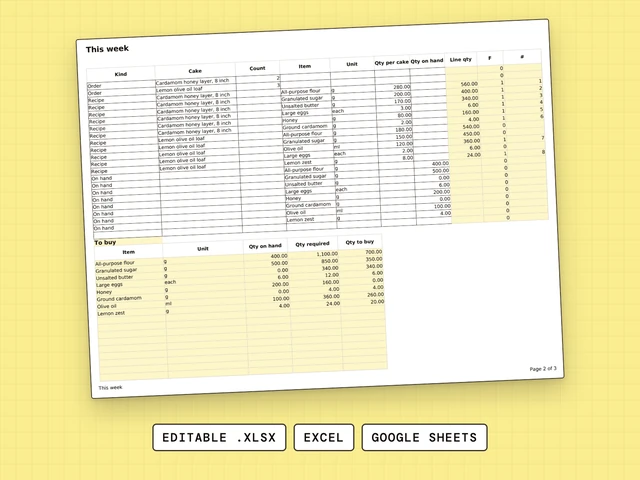
This week’s cake orders turned into a buy list of ingredients.
List what you need to know to bake the cake: the date needed, size, flavor, filling, frosting, writing, servings and allergens. One row per order keeps it simple. Cake Order Form already has those columns, with a status drop-down and a sample you can clear.
In a spreadsheet, the white bordered cells are the ones you fill in and the yellow cells hold locked formulas. Cake Order Form is set up that way, in Excel and Google Sheets.
Decide the questions every order must answer, then give each its own column. Cake Order Form does this for cakes, so you can start from a working version instead of a blank sheet.
Decide what you need to know about each order, then give every answer its own column. Cake Order Form has those columns for cakes already, with a status drop-down and a sample you can clear.
Cake Order Form is not a Word file and it is not free. It is an editable spreadsheet for $4.99 that opens in Excel and Google Sheets, with a filled-in sample.
Start from a list of the questions every order must answer, then turn each question into a column. Cake Order Form is that list for cakes, ready to type into.
Cake Order Form does not bring in orders. It records them once they arrive, so every cake you promised has a row. Writing each order down the moment you take it keeps nothing in your head or in a chat thread.