Jobs & Work Orders
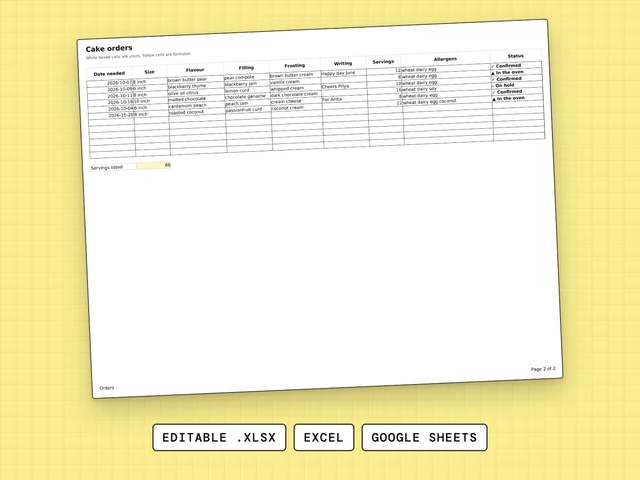
Cake Order Form
One row per cake order: date, size, flavor, writing, servings, allergens, status.
$4.99
Each of these three sheets is a bakery order form template: one for what the cake is, one for what the customer owes and one for what is due this week. $4.99 each.

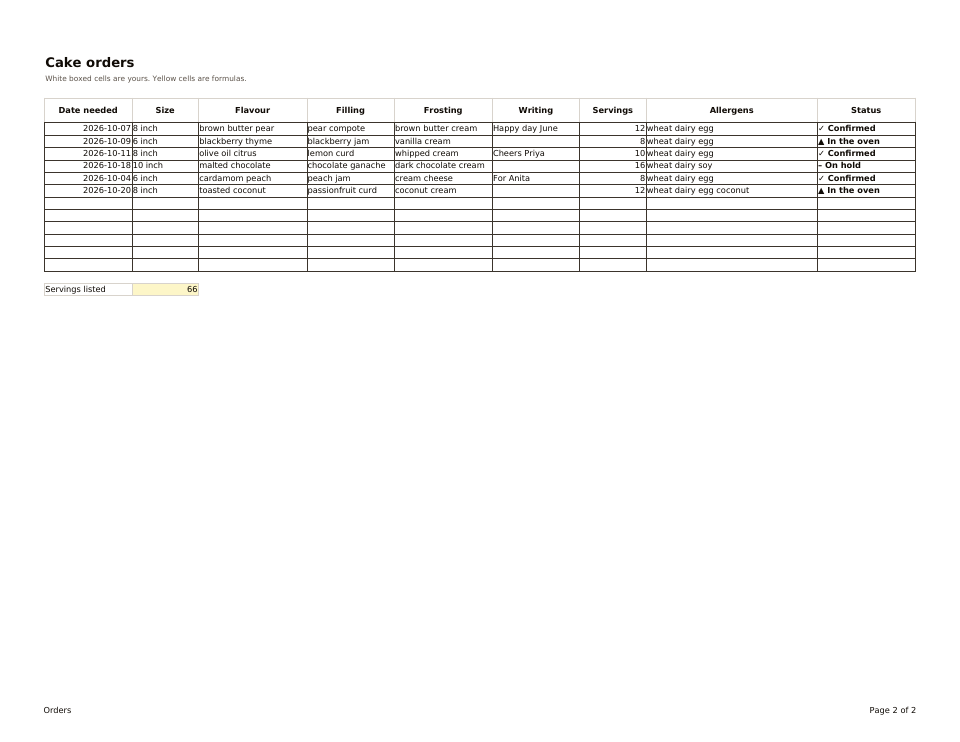
One row per cake order: date, size, flavor, writing, servings, allergens, status.
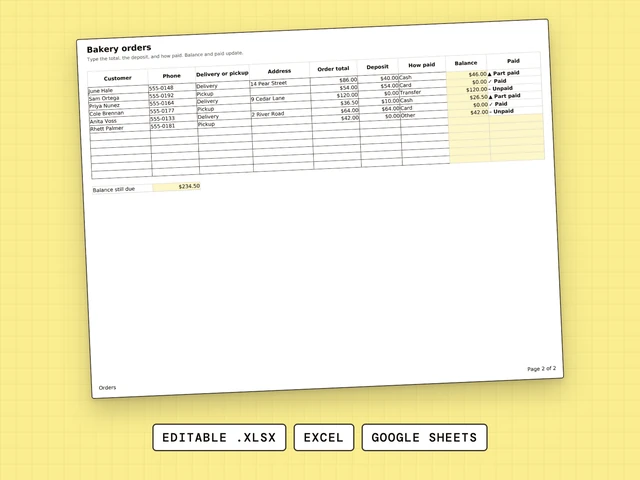
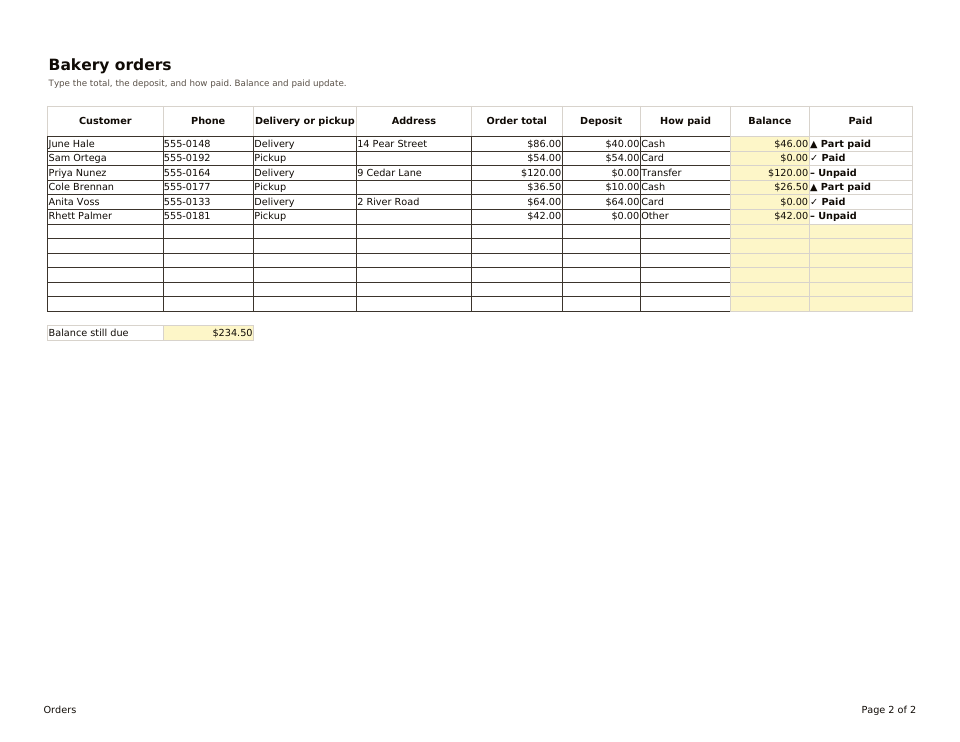
Customer, delivery or pickup, total, deposit and the balance still due.
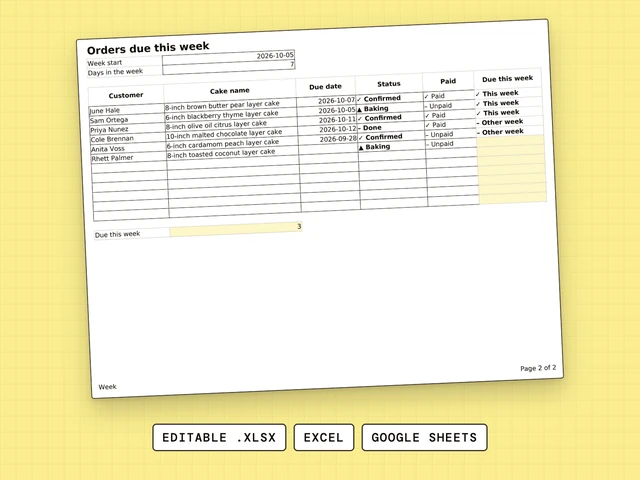
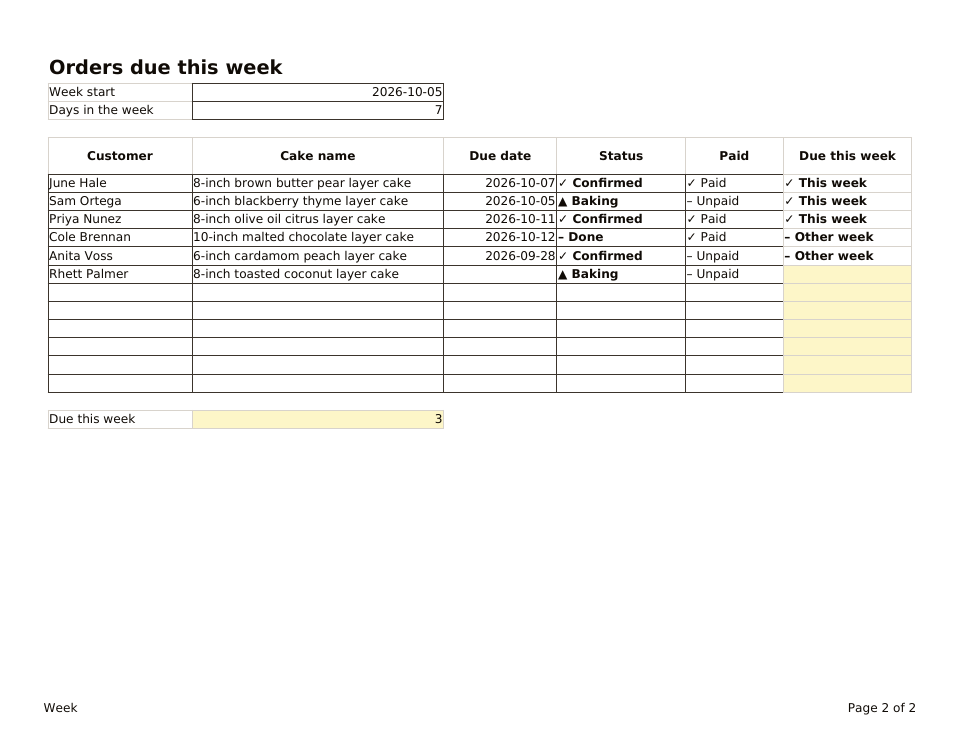
Type the week start. Every cake due in that week is flagged and counted.
Start with Cake Order Form if you want every detail of the cake in one row. Pick Bakery Order Form if the money is what slips: it shows the deposit and the balance. Add Orders Due This Week when the calendar gets full.
Decide what every order must tell you, then give each answer its own column and each order its own row. Cake Order Form and Bakery Order Form are built that way, so you can start from a working version.
Decide what every order must tell you, then give each answer its own column and each order its own row. Cake Order Form and Bakery Order Form start from a working version of that, in Excel and Google Sheets.
Google Forms collects answers from your customers, while these sheets are where you, the baker, keep each order. You can open any of the three in Google Sheets by uploading the .xlsx file to Google Drive.
The three order sheets are not free: each costs $4.99 and opens in Excel and Google Sheets. A plain table with a row per order and a column per question also works, and these sheets give you the columns already built.
The three order sheets are editable spreadsheets, not an app, and each costs $4.99. Orders Due This Week flags the cakes due in a week you choose, and Bakery Order Form shows what is still owed.
Order forms differ in who fills them in and what they record. Cake Order Form records the details of each cake, Bakery Order Form records the money, and Orders Due This Week shows the calendar. You fill in all three yourself, not your customers.