Jobs & Work Orders
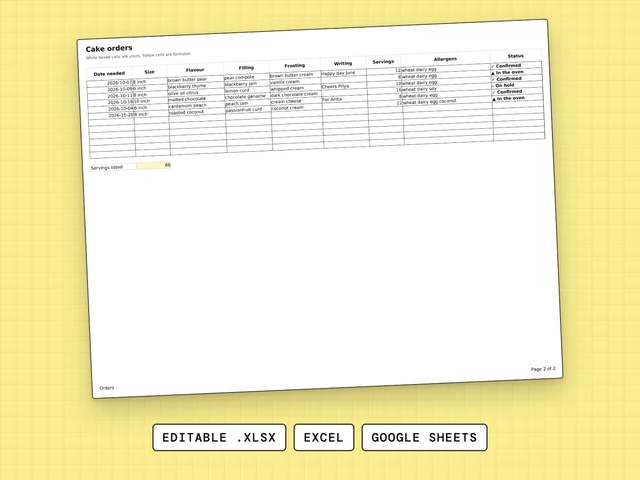
Cake Order Form
One row per cake order: date, size, flavor, writing, servings, allergens, status.
$4.99
The Bakery Order Form keeps one row for each customer order. Type the total, the deposit and how they paid. The balance and a Paid word update on their own.
Need more than one sheet? All twelve are $77.00. One by one they add up to $83.91.
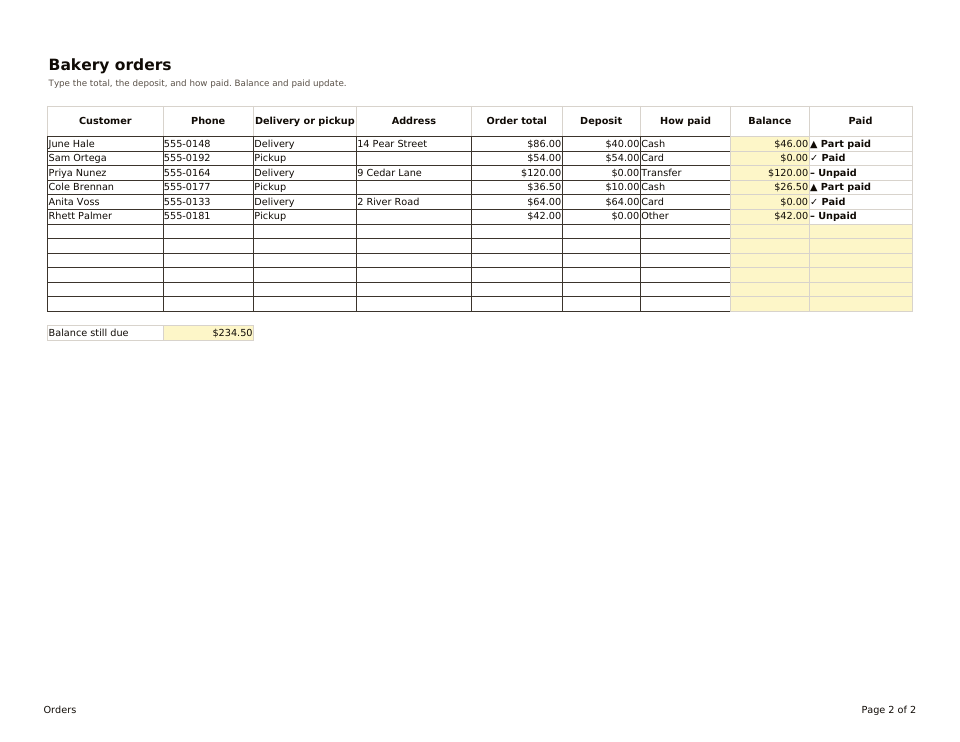
One page of two, whole. The file has more.
You type hereLocked formula
Bakery Order Form keeps the money side of each order. You type the customer, delivery or pickup, the order total, the deposit and how they paid. The sheet works out the balance, shows Paid, Part paid or Unpaid as a symbol and a word, and adds up the balance still due across all orders.
Customer, phone, delivery or pickup, address, order total, deposit and how they paid. A pickup row can leave the address blank.
Balance is the total minus the deposit. Paid is a symbol and a word: Paid, Part paid or Unpaid.
The Balance still due total adds up every open balance.
Six sample orders, with 234.50 dollars still due across them.
The Orders tab is set up to print on US Letter, landscape, so you can keep a paper copy next to the oven.
Excel opens the .xlsx file as it is. For Google Sheets, upload the file to Google Drive and open it with Google Sheets. There is a How to use tab in the file.
Each file stands alone. These three are the ones bakers open side by side.
One row per cake order: date, size, flavor, writing, servings, allergens, status.
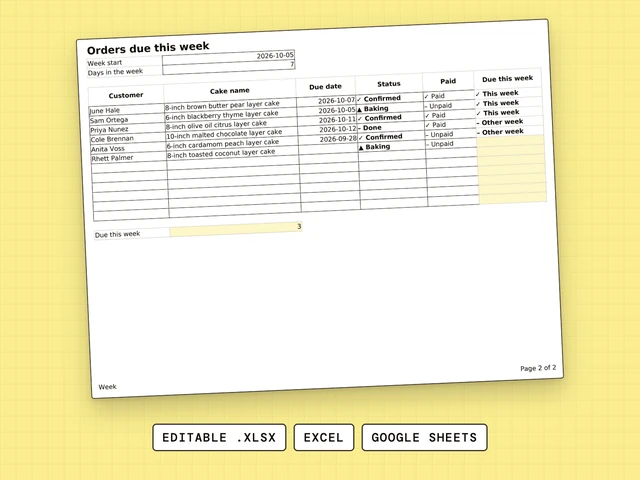
Type the week start. Every cake due in that week is flagged and counted.
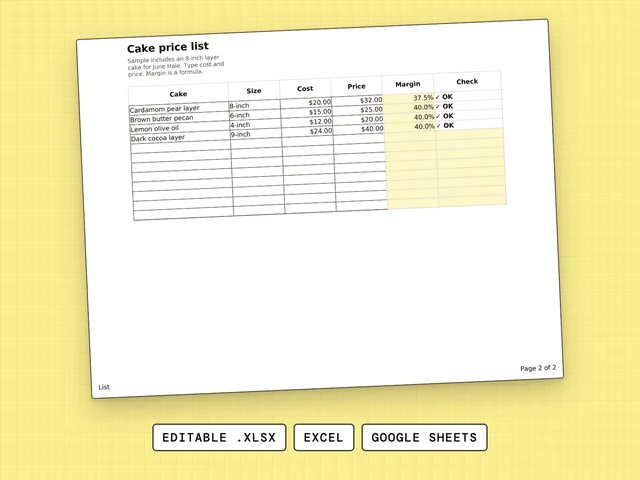
Every cake you sell with cost, price and margin, and a check on each price.
Give every order a row and give each thing you need its own column: customer, phone, delivery or pickup, address, total, deposit and how they paid. Bakery Order Form is built that way and works out the balance for you.
Google Forms collects answers from your customers. Bakery Order Form is different: it is the sheet where you, the baker, keep each order and what is still owed. Open the file in Google Sheets by uploading the .xlsx to Google Drive.
A Google Form can collect orders from your customers, and Bakery Order Form is where you keep them afterwards. It holds the total, the deposit and the balance still due for each order. Open it in Google Sheets by uploading the .xlsx file to Google Drive.
Bakery Order Form is not free: it costs $4.99 and opens in Excel and Google Sheets. A plain table with one row per order works too, and this file adds the balance, the Paid word and the total still due.
Bakery Order Form is not an app and not free. It is an editable spreadsheet for $4.99 in which you type each order, the deposit and how it was paid, and the sheet shows the balance still due.
Decide what every order must tell you, then give each answer its own column and each order its own row. Bakery Order Form does this for the money side: customer, delivery or pickup, total, deposit and balance.
Bakery Order Form is one example: a row per order with the customer, delivery or pickup, total, deposit and balance. Cake Order Form is another, built for the details of the cake. The sample file shows six orders, so you see how it looks filled in.