Excel Recipe Cost Calculator: Six Steps to Build One
You already own Excel or Google Sheets, so you only need the formulas. An Excel recipe cost calculator is a table where each row costs amount used ÷ pack amount × pack cost, and the rows add up to a batch cost you divide by the yield.
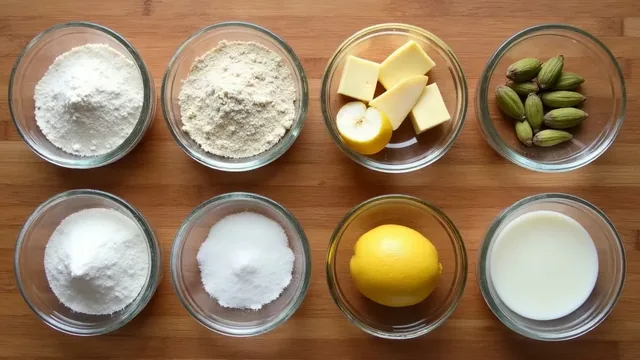
The layout below matches a working recipe sheet. Headings sit in row 4 and ingredients in rows 5 to 20. The sample is a cardamom pear 8-inch layer cake in three parts, and every formula is written out so you can paste it.
A formula you can read in one line is a formula you can fix in one line.
| Step | What to do | What to watch for |
|---|---|---|
| 1 | Set up seven columns, headings in row 4 | Pack amount and amount used in the same unit |
| 2 | Write the line cost formula in column G | A blank pack amount must not give an error |
| 3 | Add the lines with SUM, and the parts with SUMIF | Part names must be spelled the same each time |
| 4 | Divide the batch by the yield | A blank yield should leave a blank answer |
| 5 | Add a waste column if you trim fruit | Pack amount × (1 − waste) is the usable weight |
| 6 | Open the same file in the other app | Excel to Google Sheets goes through Google Drive |
Step 1: Set up seven columns, headings in row 4
Use these headings across row 4. A Part, B Ingredient, C Pack cost, D Pack amount, E Amount used, F Cakes from batch, G Line cost. Type ingredients from row 5 down to row 20, which gives you 16 rows. You type A to F. Column G is a formula.
Put the yield, the cakes the batch makes, on the first ingredient row only, in F5. That one cell is the only yield the sheet reads.
Convert units before you type. NIST gives one ounce as 28.349 52 grams, so 8 oz of butter is 226.8 g. A pound is 0.453 592 4 kg on the same NIST table, which is about 453.6 g. To convert inside the sheet, type the factor in its own cell, say J1 holds 28.34952, and use =E5*$J$1 for an amount given in ounces. Cups are a volume, so weigh one cup of your own ingredient once and type the grams. Eggs can stay a count.
Step 2: Write the line cost formula in column G
The plain version is =ROUND(E5/D5*C5,2). It divides what you used by the pack, multiplies by the pack price, and rounds to cents.
The plain version shows #DIV/0! while a row is empty. Wrap it so empty rows stay empty. Use =IF(OR(NOT(ISNUMBER(E5)),NOT(ISNUMBER(D5)),NOT(ISNUMBER(C5)),D5=0),"",ROUND(E5/D5*C5,2)). Fill it down to row 20.
| Row | Ingredient | C: pack cost | D: pack amount | E: amount used | G: line cost |
|---|---|---|---|---|---|
| 5 | Cake flour | 4.00 | 1000 | 250 | 1.00 |
| 7 | Eggs | 3.60 | 12 | 4 | 1.20 |
| 8 | Butter | 5.00 | 500 | 200 | 2.00 |
Step 3: Add the lines with SUM, and the parts with SUMIF
The batch cost is =SUM(G5:G20). For the cost of one part, use =SUMIF(A5:A20,"Sponge",G5:G20). In the sample, that returns $4.60 for the sponge.
The other formulas here use plain functions. They are SUM, IF, OR, NOT, ISNUMBER and ROUND. SUMIF is the one with a condition, and it is a safe choice for a file that moves between apps. Microsoft describes it as summing the values in a range that meet criteria you specify, and Google's SUMIF takes the same three pieces, a range, a criterion and a sum range. If you type Sponge in one row and sponge cake in another, SUMIF treats them as two parts. Pick the names once and reuse them.
Step 4: Divide the batch by the yield
Type the yield in F5. For the cost per cake, put this in B26. It reads =IF(OR(NOT(ISNUMBER(F5)),F5=0),"",ROUND(SUM(G5:G20)/F5,2)). The sample batch is $11.76 and the yield is 2, so the answer is $5.88.
For cost per serving, type the slice count in B27 and use =ROUND(B26/B27,3) in B28, with B26 as the cost-per-cake cell. 8 slices from one cake is $5.88 ÷ 8 = $0.735. Leave F5 empty and the cell stays empty, so you never see an error. To skip building and testing these guards yourself, the Batch Recipe Cost workbook already has them in its Recipe tab.
Step 5: Add a waste column if you trim fruit
Add column H, Waste, as a fraction. Pears that lose 20 percent in peeling and coring are 0.2. Then change the line cost to =ROUND(E5/(D5*(1-H5))*C5,2). For 200 g of pear from a 400 g pack at $6.00, that is 200 ÷ (400 × 0.8) × $6.00 = $3.75, not $3.00.
The shipped Batch Recipe Cost file has no waste column. You get the same answer there by typing the usable weight, 320 g, as the pack amount.
An Excel recipe cost calculator with one shared price list
Costing many recipes? Type each pack price once on a second tab called Prices. Put the ingredient name in column A, pack cost in B and pack amount in C. In a recipe row, the ingredient name sits in B5. Bring the pack cost into C5 with =VLOOKUP(B5,Prices!A:C,2,FALSE) and the pack amount into D5 with the same formula and a 3 in place of the 2.
Microsoft's VLOOKUP finds things in a table by row, and Google's version returns #N/A when FALSE finds no exact match. That is the common error here, and it almost always means a spelling difference, such as Butter against Butter, unsalted.
The shipped file does not do this. Each recipe row carries its own pack cost, so a price change means retyping the row. A shared Prices tab is worth building yourself if you cost more than a handful of recipes.
Formula errors and what causes them
| Error or symptom | Usual cause | Fix |
|---|---|---|
| #DIV/0! | Pack amount, or yield, is empty or zero | Wrap the formula in IF, as in Steps 2 and 4 |
| #N/A | A lookup found no exact match | Make the ingredient names identical |
| A line cost that looks too big | Grams against ounces, or kilograms against grams | Convert before typing |
| A formula that stopped updating | A number typed inside the formula | Move it to its own cell |
| A part total of 0 | A part name spelled differently | Copy and paste the name |
Step 6: Open the same file in the other app
An .xlsx file built in Excel opens in Google Sheets once it is in Google Drive. Google's help page says you can open an Excel file from Drive and edit it in Sheets. Upload the file, then open it with Google Sheets. Do the same sum in either app and you should see $11.76 for the sample.
Where a ready-made file helps and where it does not
- Will it open in my app? The Batch Recipe Cost file is an .xlsx. It opens in Excel. For Google Sheets, upload it to Google Drive and open it with Google Sheets. We checked its formulas in LibreOffice.
- Why pay when free calculators and blank sheets exist? A free online calculator gives you a number, and you only see its formula if it shows one. In a sheet you own, every sum sits in a cell you can click. You can build all of it from this guide for nothing. What $5.99 buys is the guarded formulas, the part sums and locked cells so a stray click cannot overwrite them. There is no free sample.
- What do I get? One workbook, by email after checkout. It has 16 ingredient rows and one batch, ingredients only. It has no waste column and no shared price list.
- What if I get stuck? Every formula is printed in this guide. In Excel, Review then Unprotect Sheet opens the locked cells for editing.
To open a finished sheet instead of building one, the Batch Recipe Cost workbook is the Recipe tab from this guide.
Frequently asked questions
How can I calculate the food cost of a recipe in Excel?
Put the pack cost, pack amount and amount used in three columns. In a fourth, type =ROUND(E5/D5*C5,2) with your own cell references. Sum that column, then divide by the number of servings or cakes the recipe makes.
How to use Excel to calculate cost?
Give every cost its own cell and refer to the cells in your formulas, so a changed pack price updates every line. Keep a SUM at the bottom and a division for yield.
Can you provide an example of recipe costing?
Cake flour costs $4.00 for 1,000 g and the recipe uses 250 g. 250 ÷ 1,000 × $4.00 = $1.00. Add the lines for every ingredient and divide by the cakes the batch makes.
Conclusion
An Excel recipe cost calculator is seven columns, one line-cost formula, a SUM and a SUMIF for the parts, a yield formula that stays blank until you type a yield, and an optional waste column. The sample batch comes to $11.76, or $5.88 a cake. The same .xlsx opens in Excel and, after you upload it to Google Drive, in Google Sheets, so you can build it in one app and read it in the other.
Sources
- Google, Use both Excel & Sheets: Best practices (n.d.)last checked October 7, 2026
- Microsoft, SUMIF function (n.d.)last checked October 7, 2026
- Google, SUMIF (n.d.)last checked October 7, 2026
- Microsoft, VLOOKUP function (n.d.)last checked October 7, 2026
- Google, VLOOKUP (n.d.)last checked October 7, 2026
- National Institute of Standards and Technology, NIST Guide to the SI, Appendix B.8: Factors for Units Listed Alphabeticallylast checked October 7, 2026